Awesome Aviation Free Scratch Coding Activity

We’ve put together a step-by-step coding guide for children to have a go at coding their own flying game in Scratch.
- 1
Go to the Scratch website: https://scratch.mit.edu/
- 2
Sign in or register for Scratch
If you already have a Scratch account, click ‘Sign in’ and enter your login details. Otherwise click ‘Join Scratch’ and create your free Scratch account.
- 3
Open this starter file: https://scratch.mit.edu/projects/895082458/
- 4
Click the “Remix” button to make your own copy

- 5
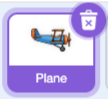
Click on the "Plane" sprite to make sure it is selected
- 6
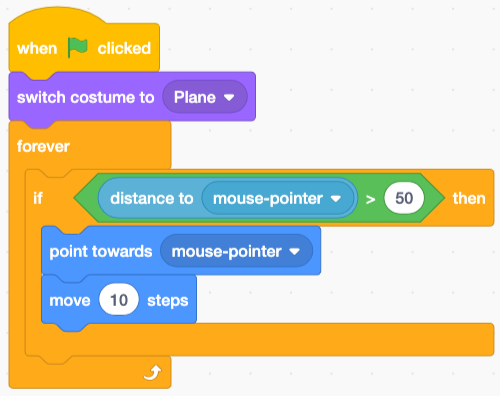
Now drag blocks in from the left to add your first code...
This code means that your plane will always follow the mouse pointer
- 7
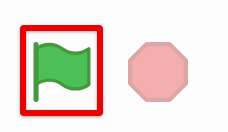
Click the Green Flag to see how the plane follows your mouse
- 8
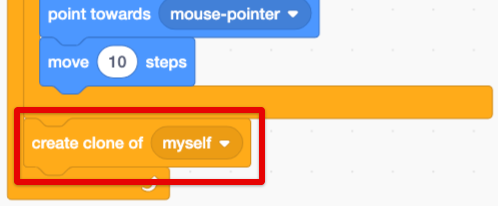
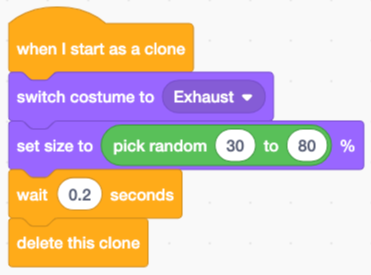
Next let's make a cool effect by adding some exhaust to the plane.
In this code we are "cloning" the Plane sprite, but when we make the clones we change the costume. As the clones appear, then quickly disappear, they'll look like an exhaust trail.
- 9
Click the Green Flag to test out your project so far!
- 10
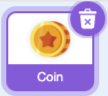
Now let's make this a game by activating the "Coin" sprite. Click on the Coin to select it.
- 11
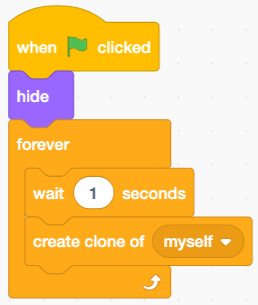
We will use cloning for this sprite as well. Add this code to create a new coin every second.
- 12
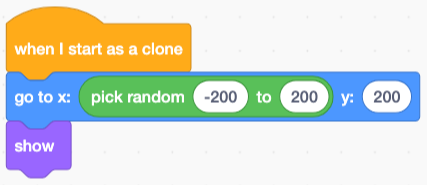
Next, add this code so that each coin will appear at the top of the stage. We are going to make them fall down and try to catch them!
The "pick random" block will make each coin fall from a different spot.
- 13
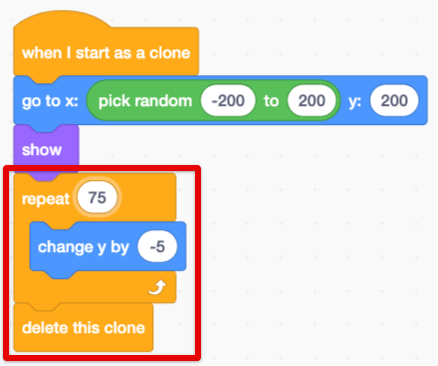
Now you can add this loop to make the coins fall down from the sky.
Each coin will be deleted when it reaches the bottom of the screen.
- 14
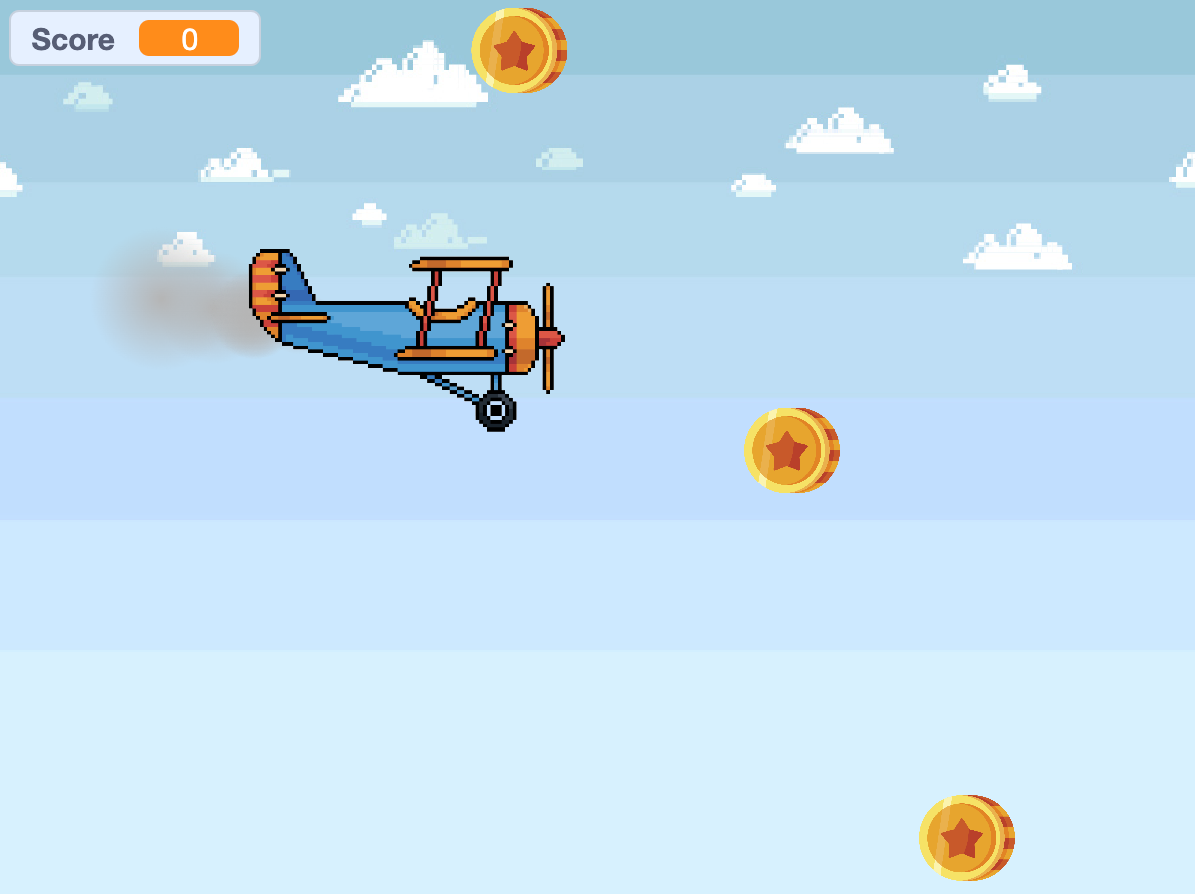
Press the Green Flag to test it out!
Can you see the coins falling?
- 15
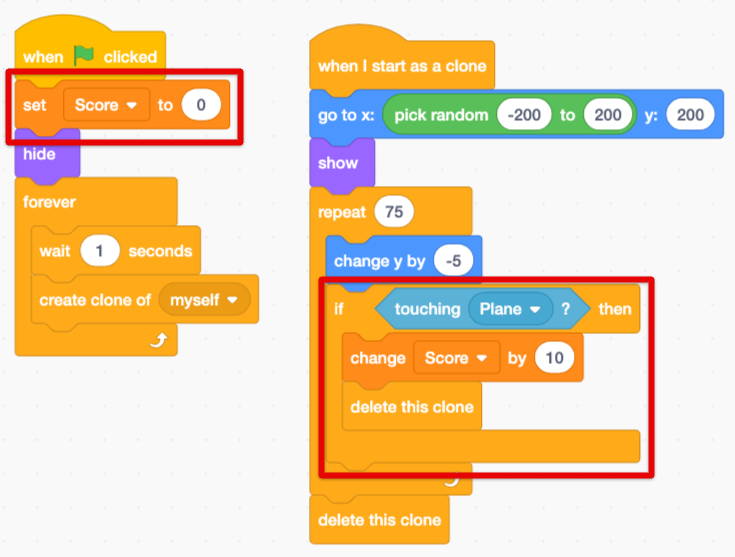
Let's catch some coins - add this code so that the score starts at 0, but then increases when the plane touches a coin.
- 16
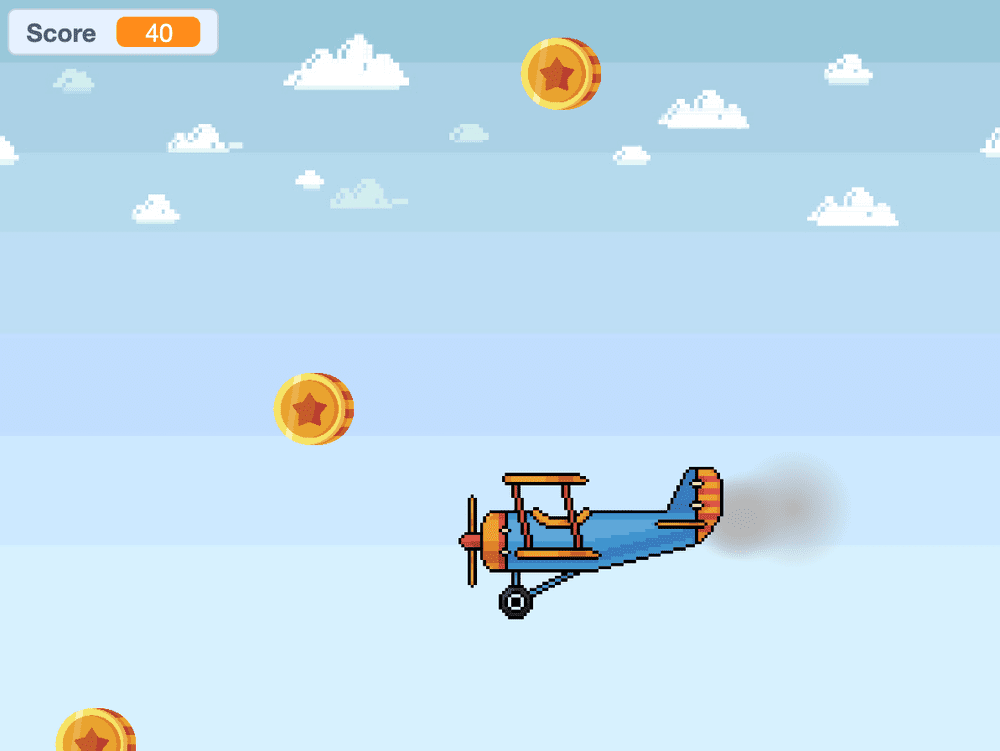
All done! Click the Green Flag icon and watch your project come to life.
Thanks for building a game with us!
If you enjoyed this coding activity be sure to sign up for our online coding classes for kids. Our coding classes are a lot of fun, but they’re also really effective at teaching coding techniques and challenging students to develop their skills. You’ll learn about loops, variables and functions - and everything in between - and you’ll build your own games and animations with a small group of kids of the same age and experience level as you.
Sign up for one of our free coding lessons