Robotics Free Scratch Coding Activity
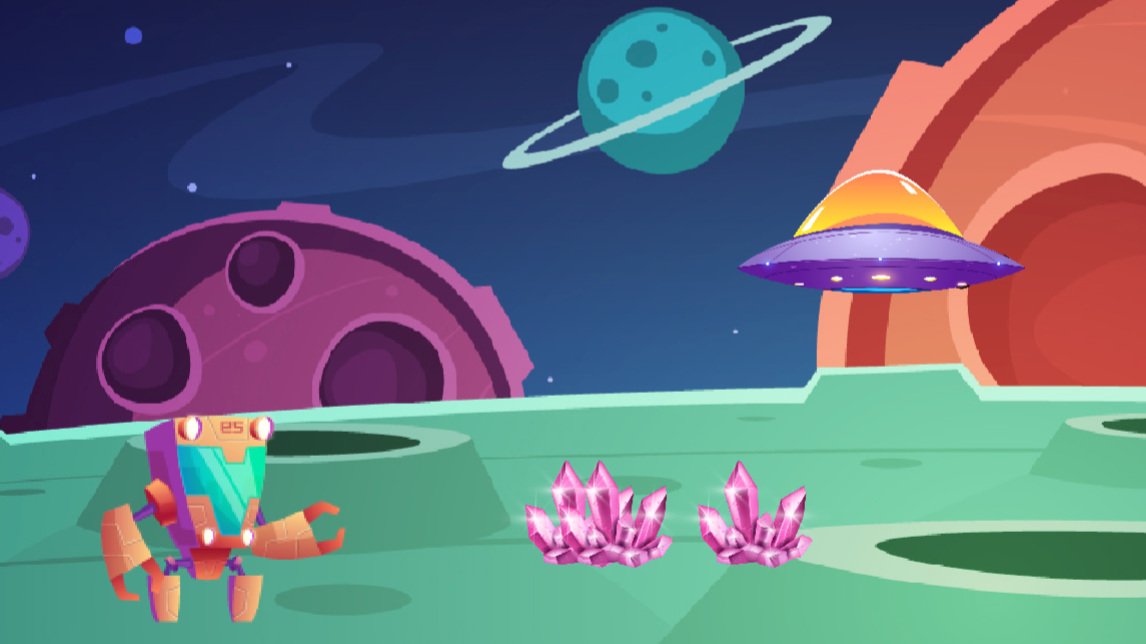
Follow our easy step-by-step coding instructions to create your own robot in Scratch, using variables, loops and conditions, and try to avoid the UFO!
- 1
- 2
Go to the Scratch website: https://scratch.mit.edu/
- 3
Sign in or register for Scratch
If you already have a Scratch account, click ‘Sign in’ and enter your login details. Otherwise click ‘Join Scratch’ and create your free Scratch account.
- 4
Open this starter file: https://scratch.mit.edu/projects/1010657797/
- 5
Click the 'Remix' button to make your own copy

- 6
Start by selecting the 'Robot' sprite
You'll notice this sprite already has some code.
- 7
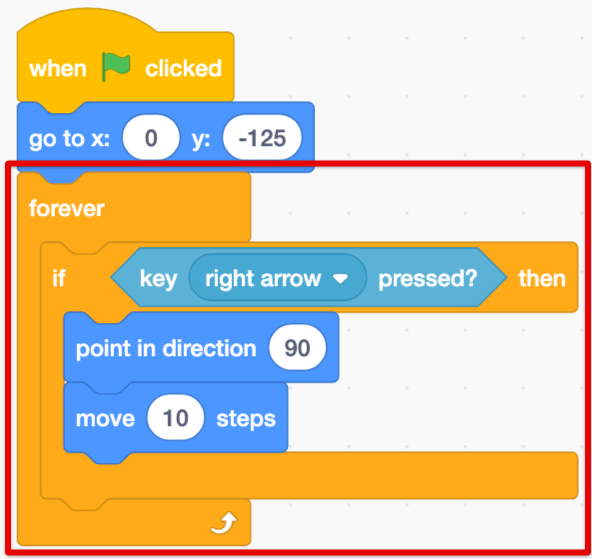
Add this code so the robot can move to the right when you press the right arrow
The forever loop makes sure you can continue to move while the game is running
- 8
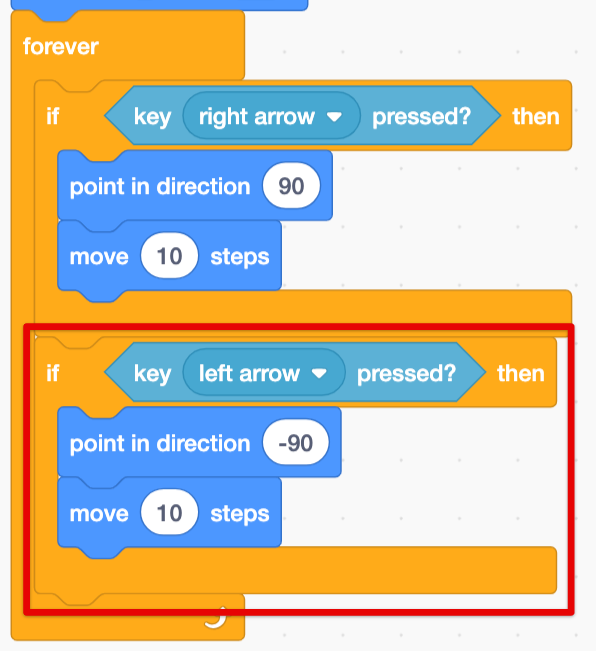
Now add another condition so that the robot can move to the left
- 9
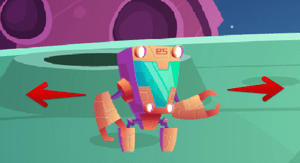
Test out your code!
Can the robot move left and right when you press the arrow keys?
- 10
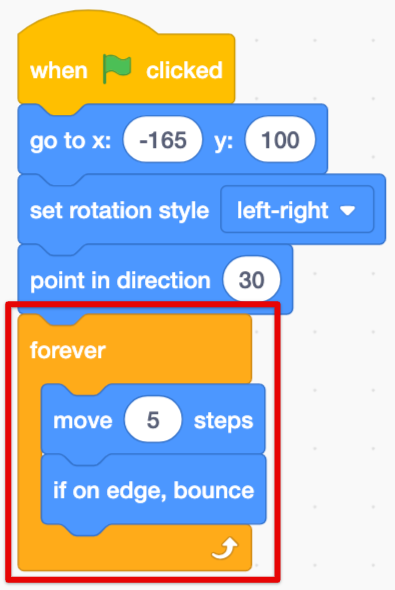
Now switch to the 'UFO' sprite and add this code to make it move around
- 11
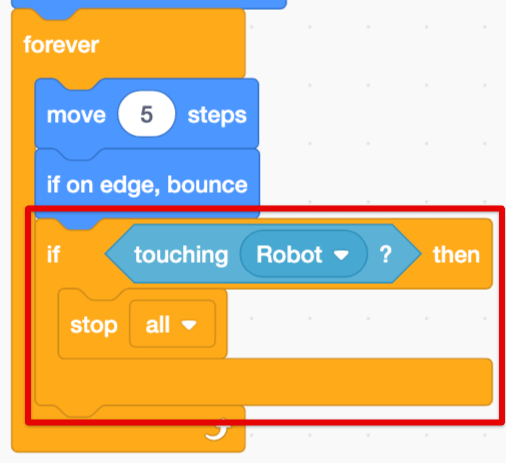
Then add this code so that if the UFO touches the robot, the game stops
The 'stop all' block stops all the code in the game
- 12
Finally click on the 'Crystal' sprite
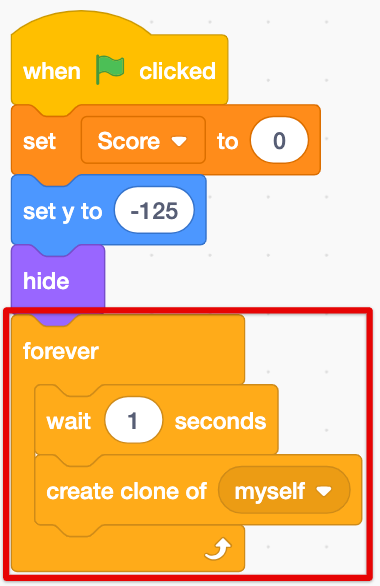
This code will make a new copy of the crystal every second
- 13
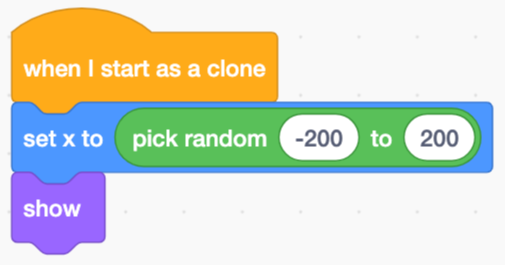
To make the clones appear, add this code
We can use the 'pick random' block to make them appear in random positions
- 14
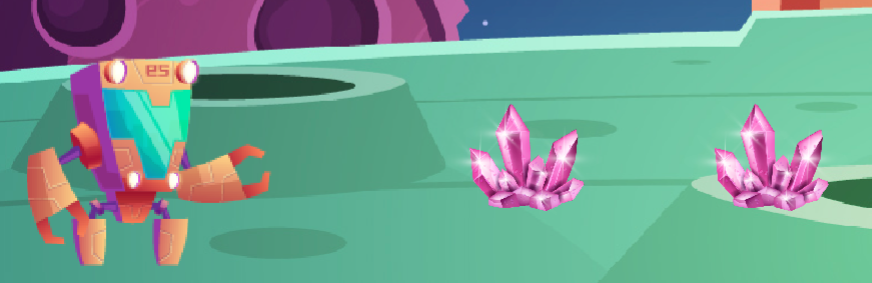
Press the Green Flag!
Do you see the crystals appearing?
- 15
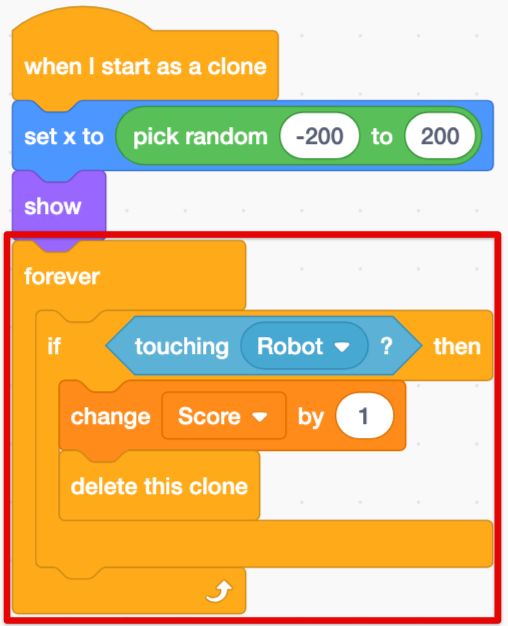
Next add this code so that we get one point on our 'Score' variable each time the robot gets a crystal
- 16
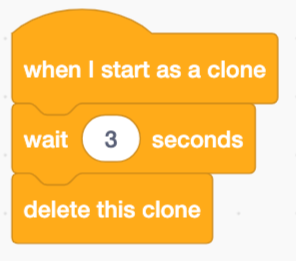
To make the game a bit harder, we can add this code so the crystal clones will disappear after a few seconds
- 17
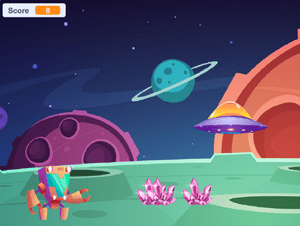
Great work! Press the Green Flag and have fun playing your game
Thanks for building this fun game with us!
If you enjoyed this coding activity be sure to sign up for our online coding classes for kids. Our coding classes are a lot of fun, but they’re also really effective at teaching coding techniques and challenging students to develop their skills. You’ll learn about loops, variables and functions - and everything in between - and you’ll build your own games and animations with a small group of kids of the same age and experience level as you.
Sign up for one of our free coding lessons