Superheroes Free Scratch Coding Activity
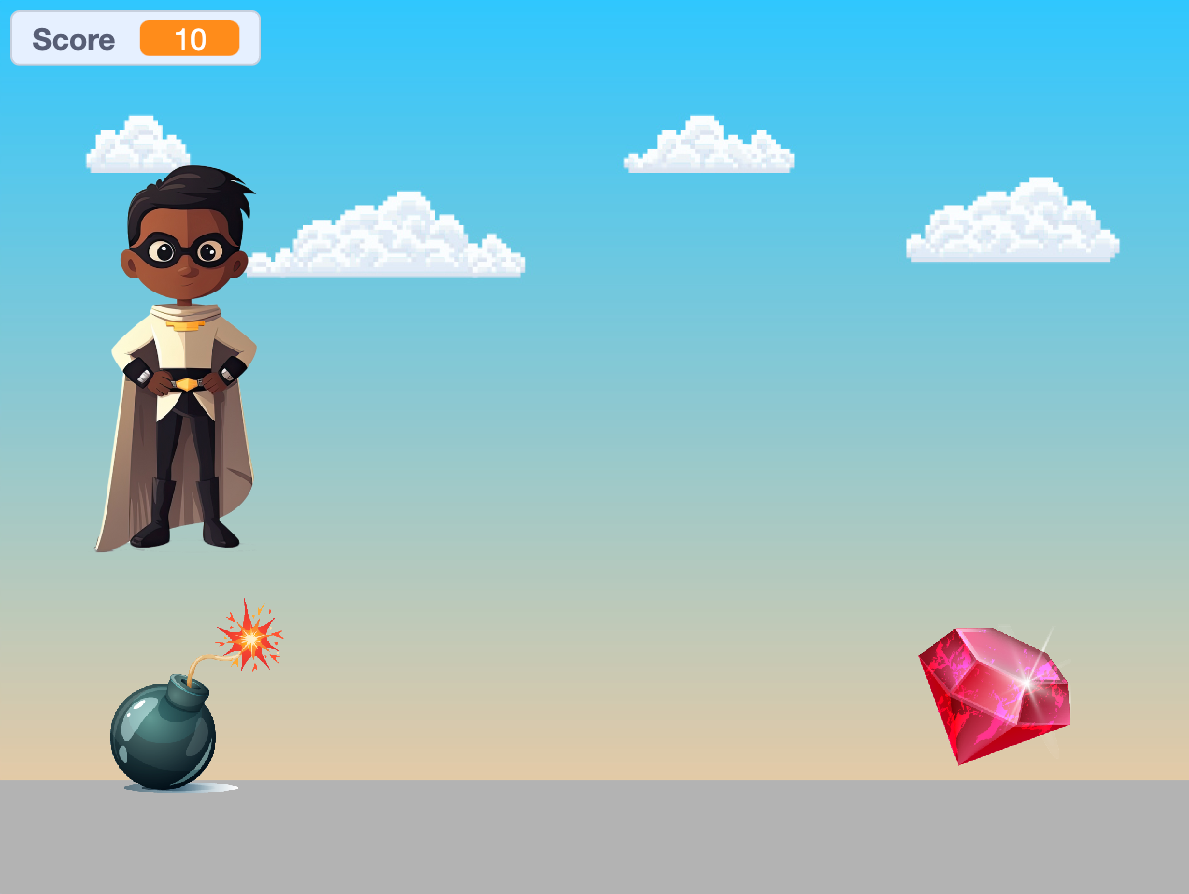
Follow our easy step-by-step coding instructions to create your very own superhero game in Scratch!
- 1
Go to the Scratch website: https://scratch.mit.edu/
- 2
Sign in or register for Scratch
If you already have a Scratch account, click ‘Sign in’ and enter your login details. Otherwise click ‘Join Scratch’ and create your free Scratch account.
- 3
Open this starter file: https://scratch.mit.edu/projects/976366215/
- 4
Click the 'Remix' button to make your own copy

- 5
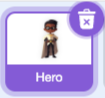
Start by clicking on the 'Hero' sprite.
- 6
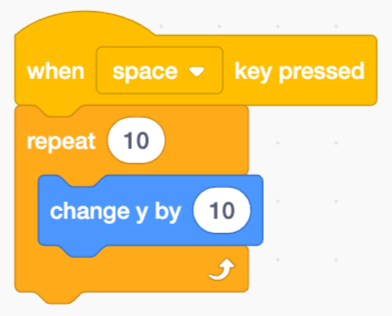
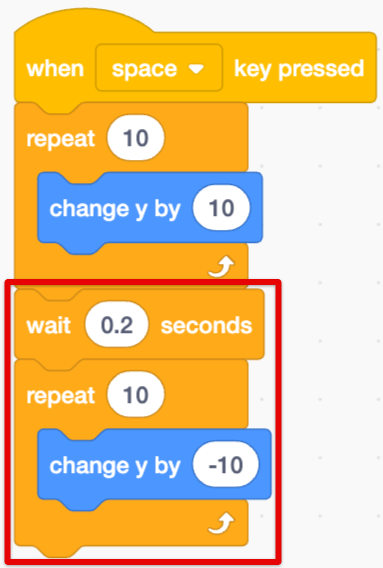
Let's code our hero to jump when the space bar is pressed.
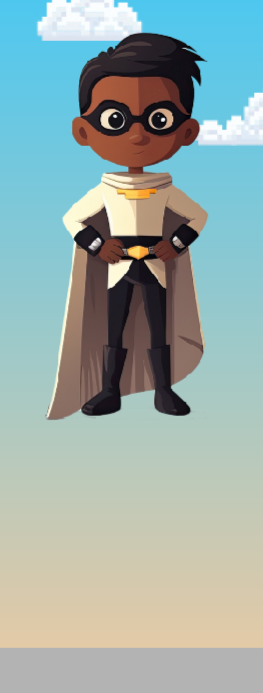
Changing the y value makes the hero move up.
- 7
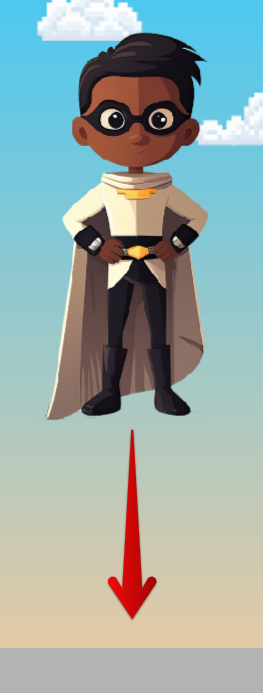
Now use this code to make the hero fall back down after jumping.
- 8
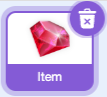
Next, let's code the 'Item' sprite.
- 9
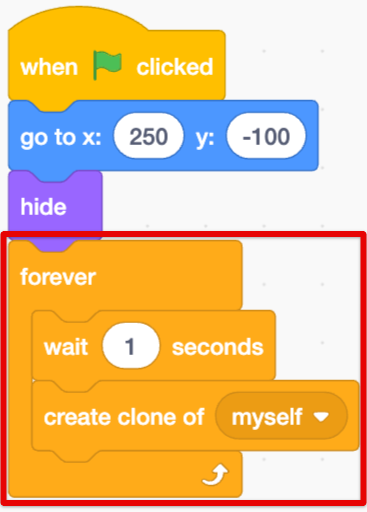
We can use cloning to make a new item appear every second.
The forever loop makes our code repeat over and over.
- 10
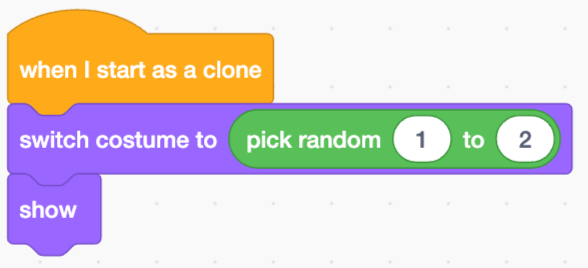
Then add these blocks so the clones will appear with a random costume.
Each clone can either be a gem or a bomb.
- 11
Now press the Green Flag to test it out!
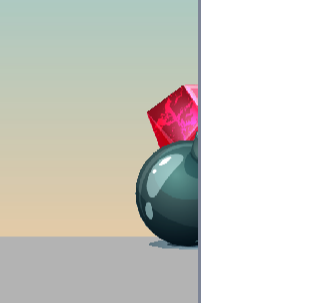
Can you see the clones appearing on the right side of the stage?
- 12
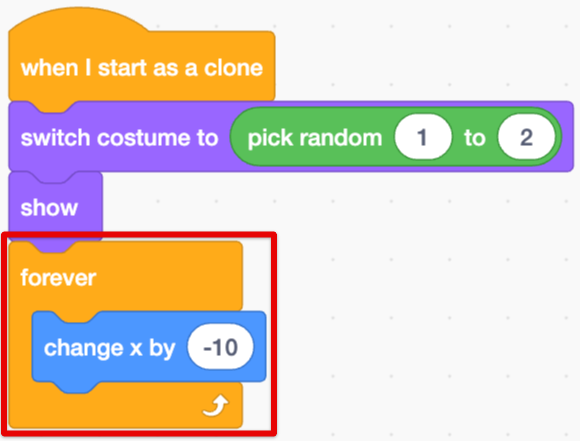
Add this code to make the items move, then test the code again.
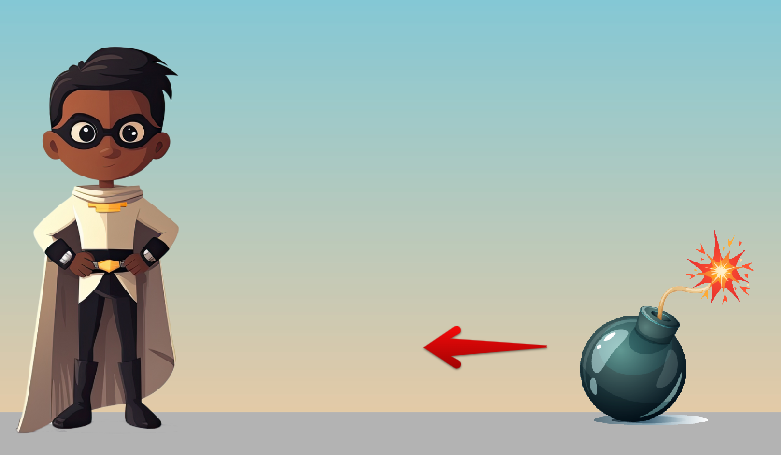
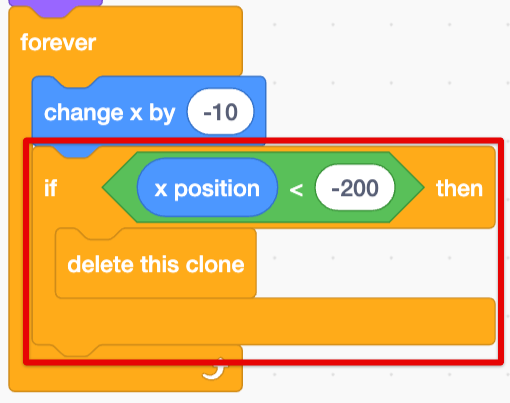
- 13
Next, try adding this conditional statement.
If an item touches reaches the left side, then it will be deleted.
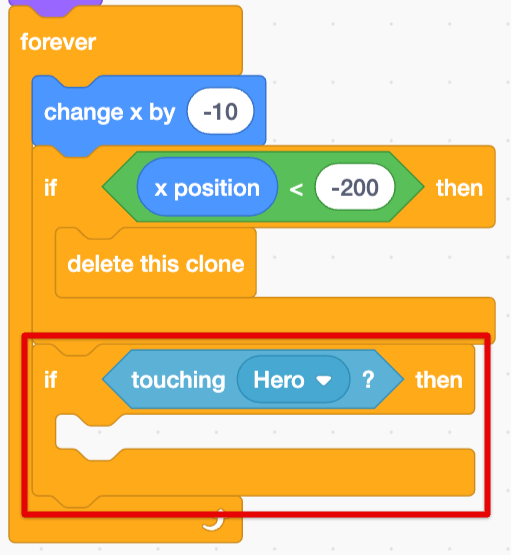
- 14
Now let's try a more complicated conditional statement.
Add this code to check if the item is touching the hero.
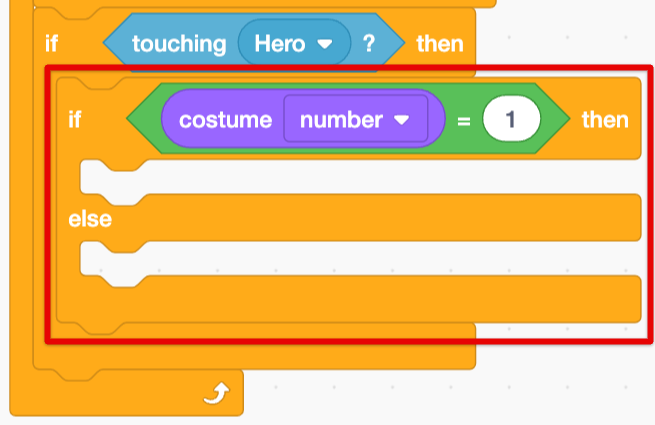
- 15
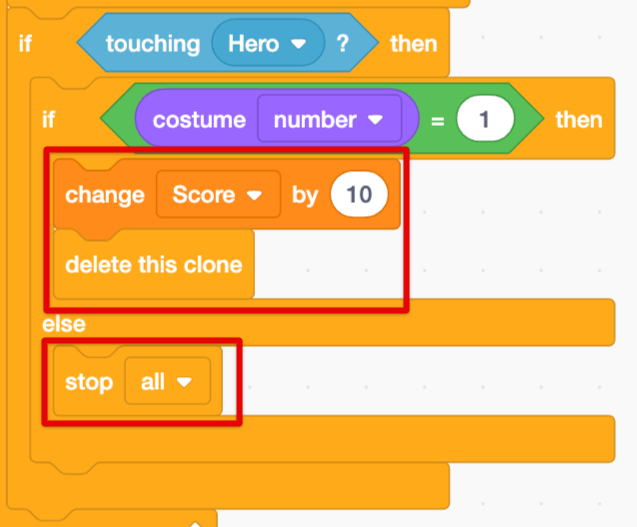
Add this condition inside the first one to check if the item that hit the hero was a gem or a bomb.
- 16
If the item was a gem, give the player 10 points! If it was a bomb, then code the game to stop running.
- 17
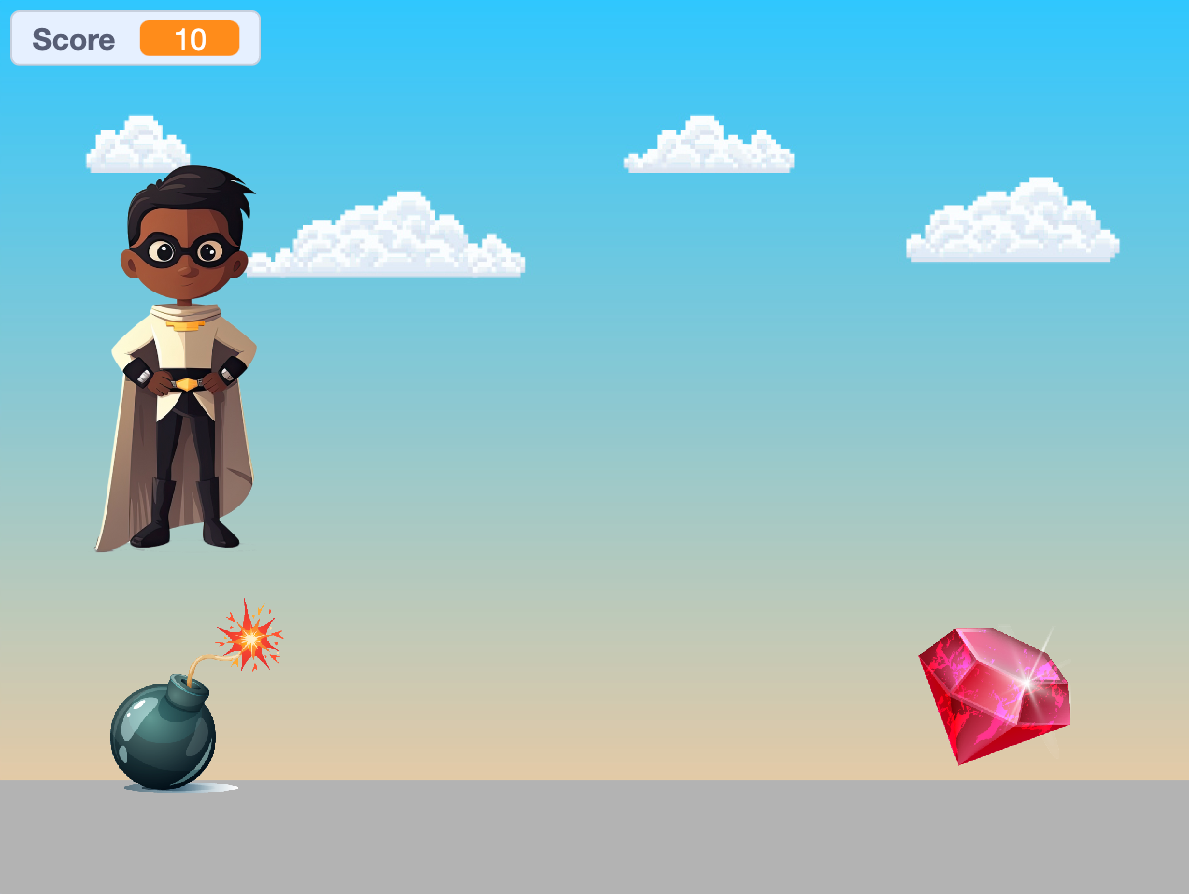
You've done it! Click the Green Flag and have fun playing your game.
Thanks for building this fun game with us!
If you enjoyed this coding activity be sure to sign up for our online coding classes for kids. Our coding classes are a lot of fun, but they’re also really effective at teaching coding techniques and challenging students to develop their skills. You’ll learn about loops, variables and functions - and everything in between - and you’ll build your own games and animations with a small group of kids of the same age and experience level as you.
Sign up for one of our free coding lessons