Virtual Pets - Free Coding Activity
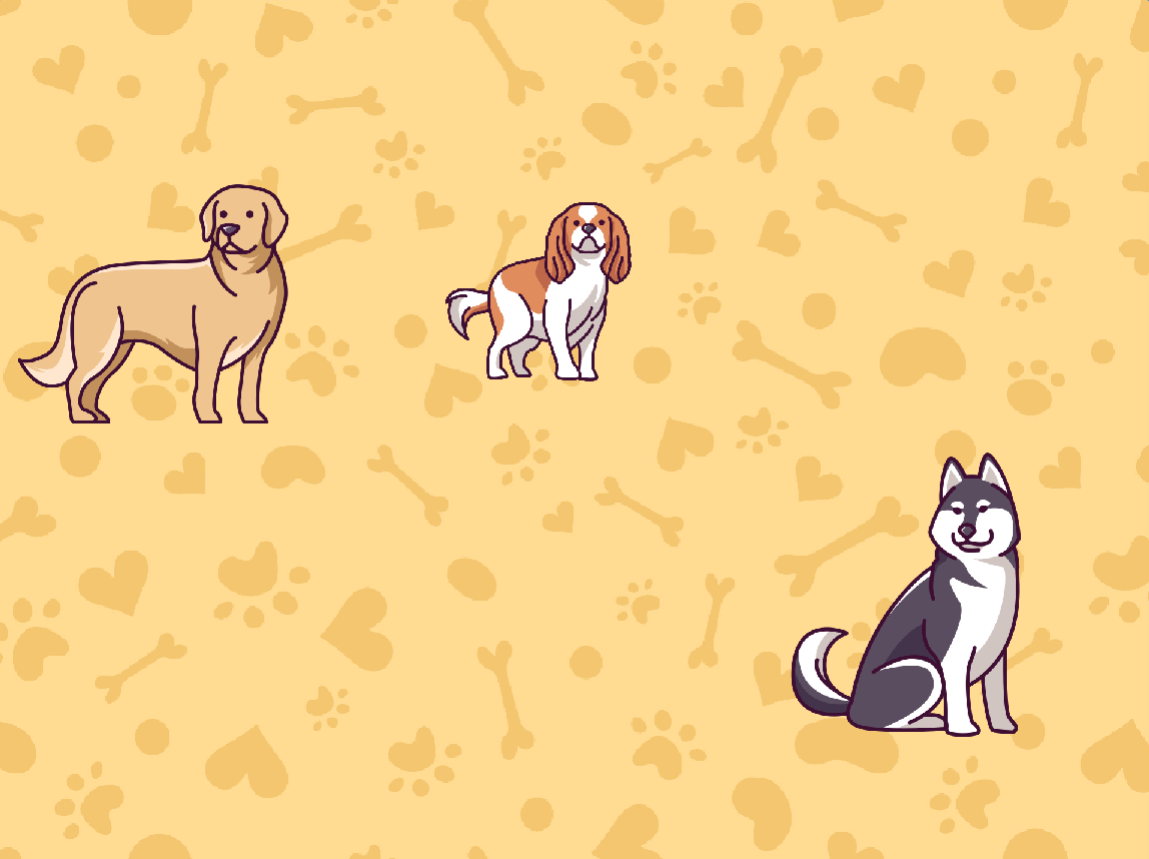
Follow our easy step-by-step instructions to create and clone poodles, huskies, corgis and many more in Scratch!
- 1
Go to the Scratch website: https://scratch.mit.edu/
- 2
Sign in or register for Scratch
If you already have a Scratch account, click ‘Sign in’ and enter your login details. Otherwise click ‘Join Scratch’ and create your free Scratch account.
- 3
Open this starter file: https://scratch.mit.edu/projects/993715327/
- 4
Click the 'Remix' button to make your own copy

- 5
Start by clicking on the 'Dogs' sprite.
This sprite contains costumes for 10 different dogs.

- 6
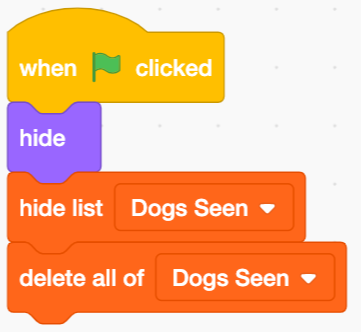
Add this code to hide the sprite and set up the 'Dogs Seen' list.
We will use clones to show the dogs on the stage.
- 7
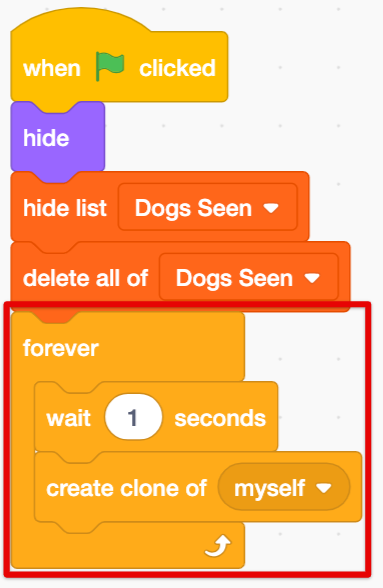
Next, add this code to create a new clone every second.
A clone is a copy of a sprite.
- 8
To be able to see the clones, we'll need a bit more code.
This will send the dogs to the left side of the stage and give them a random costume.

- 9
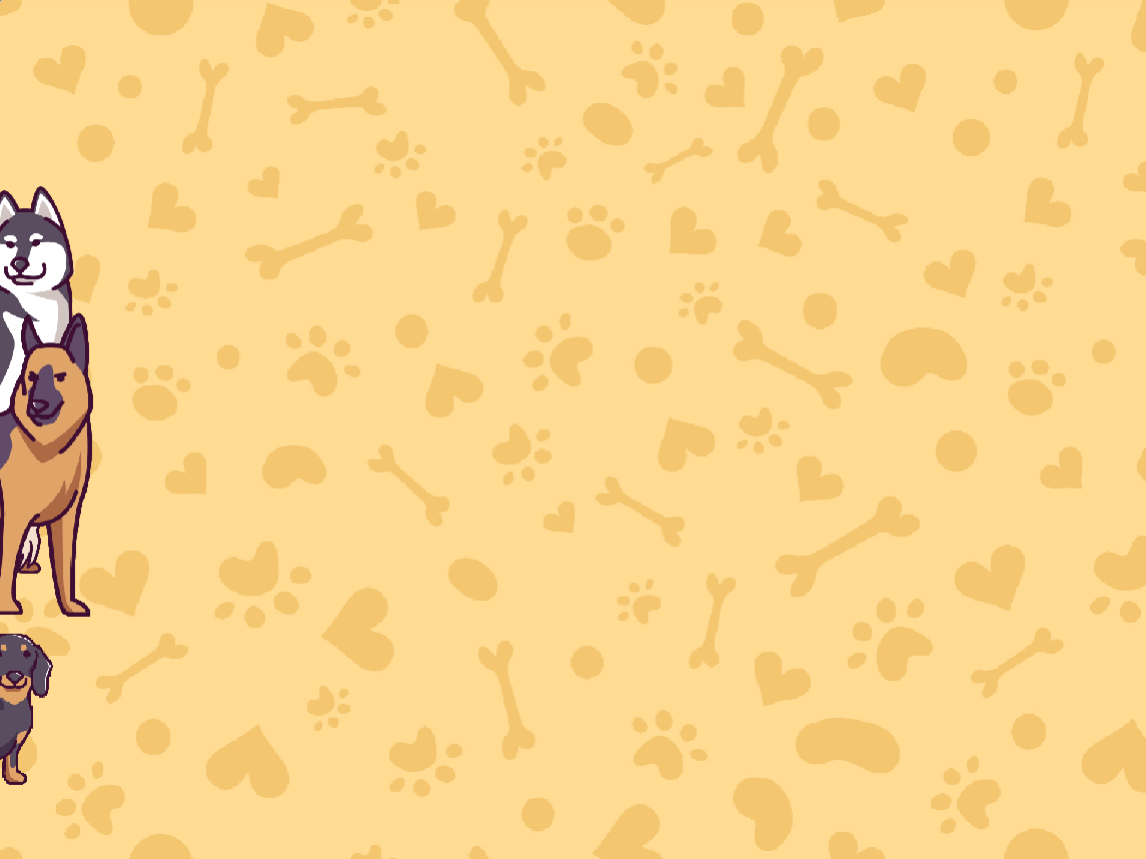
Press the Green Flag. Can you see dogs appearing on the left?
- 10
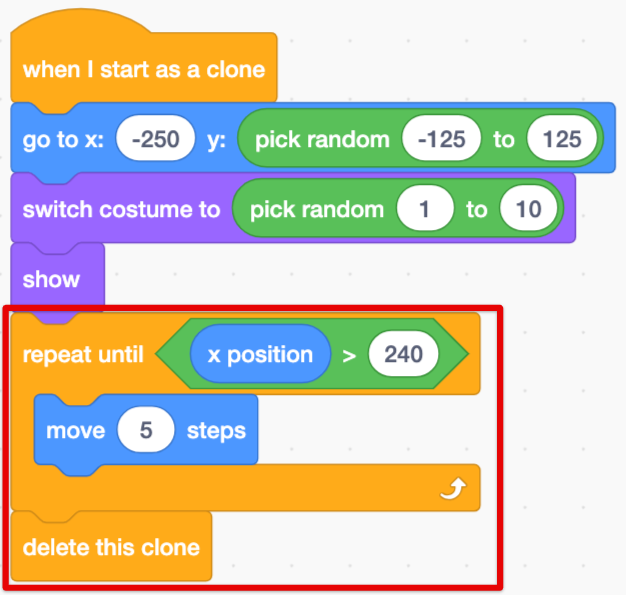
To make the dogs move, add these blocks.
The dogs will disappear once they cross the stage.
- 11
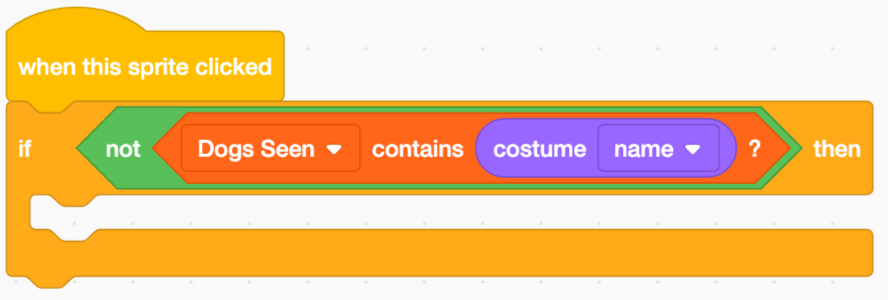
When we click a dog, this code will check if we've seen that type before.
- 12
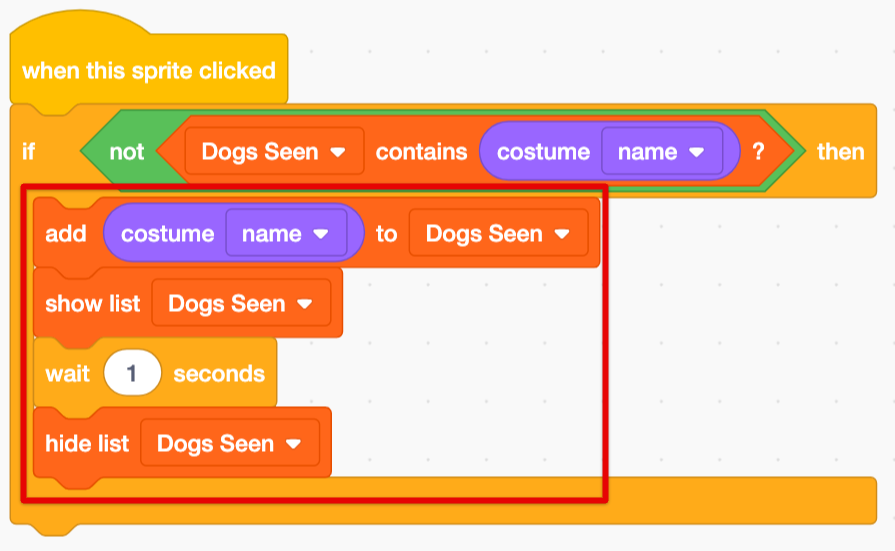
If we haven't, then that dog's name is added to the list!
- 13
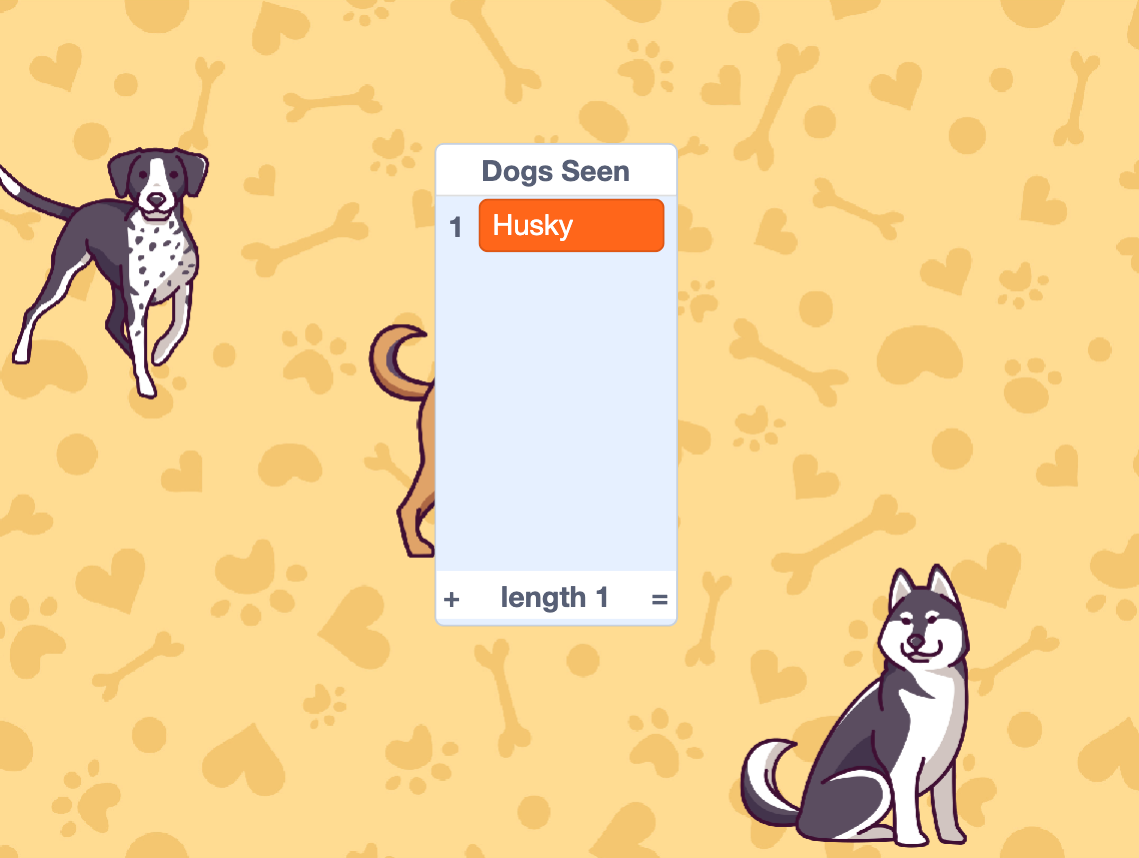
Test out your code.
Can you see the types of dogs being added to the list as you click them?
- 14
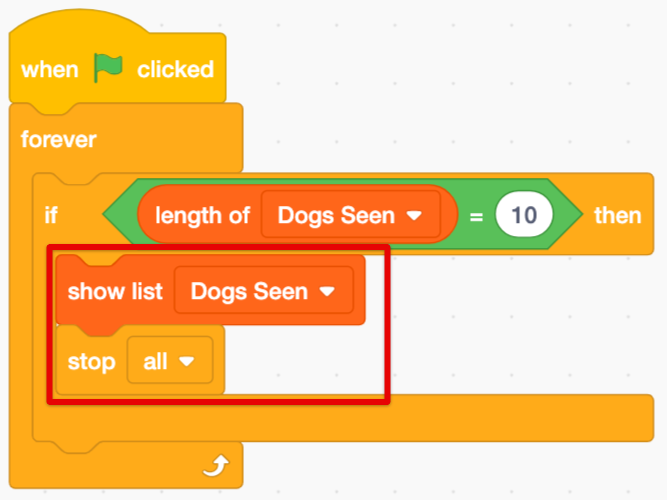
Finally, let's add some code to check if we've seen all the dogs.
There are 10 dog types, so we'll have to check if our list has 10 items in it.

- 15
If we have seen all the dogs, then we win and the game stops.
- 16
- 17
Press the Green Flag and test it out!
Can you spot all the dogs and win the game?
Thanks for building a game with us!
If you enjoyed this coding activity be sure to sign up for our online coding classes for kids. Our coding classes are a lot of fun, but they’re also really effective at teaching coding techniques and challenging students to develop their skills. You’ll learn about loops, variables and functions - and everything in between - and you’ll build your own games and animations with a small group of kids of the same age and experience level as you.
Sign up for one of our free coding lessons